Workflow design
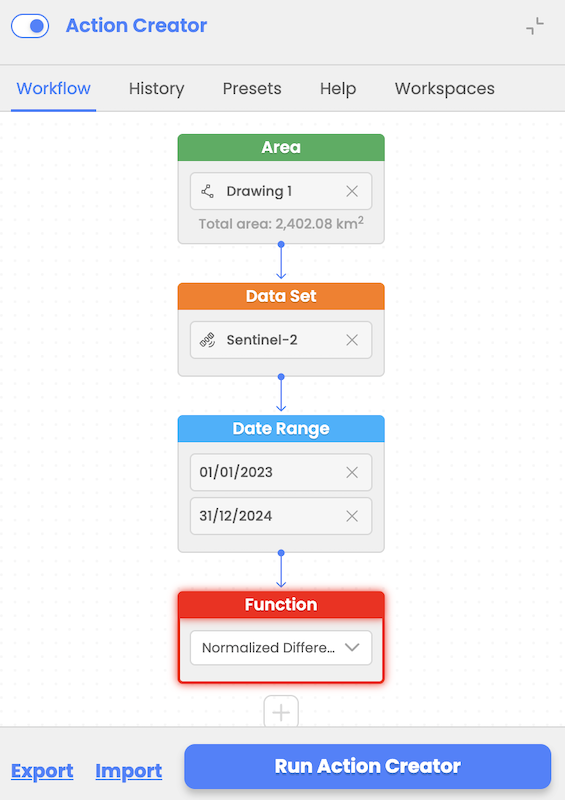
Provides no-coding tool to enable user to design workflows by using available interactive nodes for:
- Area of Interest selection
- Data Set selection
- Date range selection
- Function/s selection (e.g. LLC, NDVI, etc..)
Action Creator ensures that nodes are completed in sequence. Two-way validation ensures compatibility between data sets and functions selected. The workflow builder supports adding multiple consecutive functions for advanced processing.
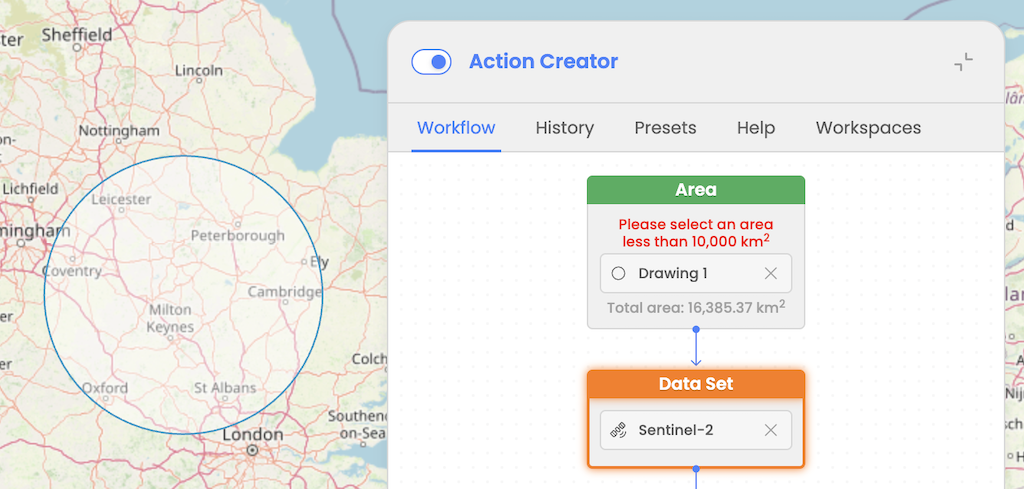
Users can select an Area of Interest (AOI) for workflow input, with a maximum limit of 10,000 km². User will be informed with the message that AOI selected should be smaller than maximum allowed one.
If user selects an AOI larger than this threshold then a validation error will be displayed and user will be prevented to execute a workflow.
This limit has been set to support for large AOIs. This enhancement enables the generation of smaller "chips" from the selected AOI, leveraging CWL's Scatter operator to process workflows efficiently.