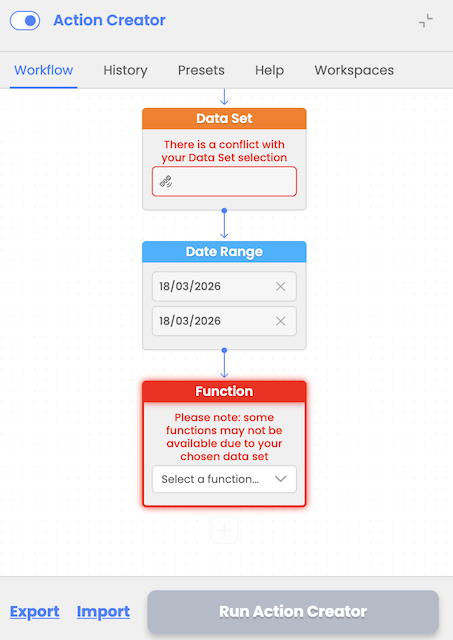
Workflow design validations
Action Creator provides workflow validations on the front-end side during workflow design and backend validations used as a safety mechanism during workflow execution.
Frontend validations:
- ensures users select valid datasets, date ranges, and compatible functions
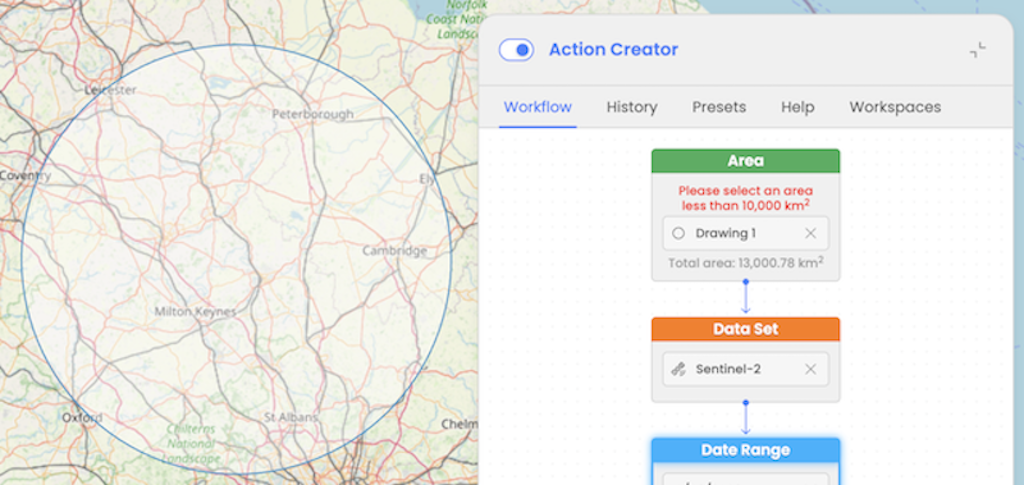
- validates area of interest size (e.g., must be under 10000 km²). If user selects AOI greater than that, the validation error will prevent user from running a workflow. This limit can be increased in the future based on overall EODH capabilities.
Backend validations:
- checks for errors like exceeding resource limits or invalid input parameters. These validations are executed on the EODH backend side and EOPro is ensuring that the user is informed about the execution issue in the UI.
To improve the user experience and help users in the workflow design process, additional validations have been implemented to ensure that users configure workflows correctly before execution and preventing errors and misconfigurations.
Key validations include:
Warning Messages for Missing Data Sources:
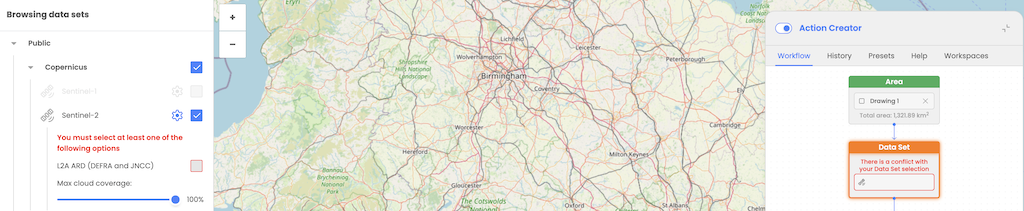
If a user attempts to proceed without selecting an appropriate data source, a warning message is displayed, prompting them to choose a valid dataset.
Function and Action Restrictions:
If no valid data source is selected, users are prevented from applying functions or actions, ensuring workflows are designed with properly configured inputs.